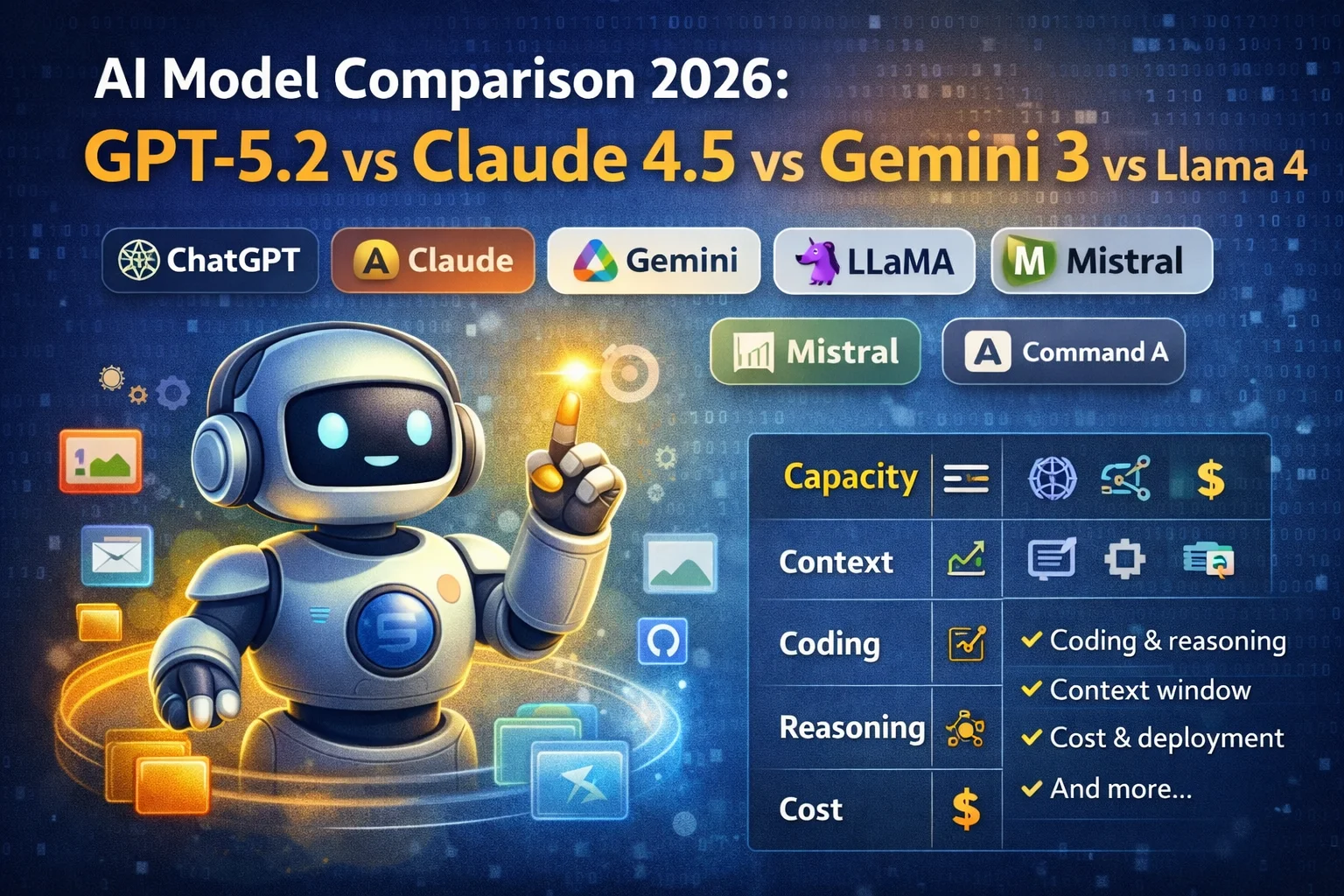
Picking an AI model in 2026 feels a bit like hiring a new teammate. On paper, everyone “does writing and coding.” In real life, one teammate is a lightning-fast brainstormer, another is a careful planner who won’t stop until the job is done, and another is the one you hire because you need everything to run on your own hardware.
This guide compares the most talked-about AI model families across the things that actually matter: coding, reasoning, multimodal input (text + images + more), context window, tool use, cost, and deployment options—so you can choose with confidence (and fewer regrets). Specs change fast, so treat this as a snapshot and always double-check the latest docs for the specific version you’re using. Facebook+5OpenAI Platform+5Claude+5
Quick note: “model” vs “app” (why people get confused)
When people say “I use ChatGPT” or “I use Gemini,” they’re usually talking about a product experience (an app, chat UI, integrations, memory, file upload features, etc.). Under the hood, that product can route requests to different models depending on what you’re doing (fast mode vs deep reasoning, image understanding vs text-only, and so on). That’s why the “best model” depends heavily on your workflow, not just leaderboard hype. OpenAI Platform+2Google AI for Developers+2
The comparison checklist that matters in practice
Here’s what you should compare before you fall in love with a demo:
- Reasoning depth: does it handle multi-step logic well, or bluff?
- Coding ability: debugging, refactoring, architecture decisions, tool-assisted coding.
- Context window: how much it can “fit” in one go (docs, codebases, chat history).
- Multimodal: can it read images, PDFs, audio/video, diagrams?
- Tool use / agents: can it call functions, search the web, use files, execute code, operate workflows?
- Deployment: hosted API only, or can you run it yourself (open-weight)?
- Cost and speed: “best” is useless if it’s too slow/expensive for your volume.
Side-by-side comparison of leading AI models (early 2026 snapshot)
The table below focuses on what you’ll feel day-to-day: context size, modalities, and the “why would I pick this?” vibe.
Sources for specs: OpenAI model docs, Anthropic model overview, Google Gemini 3 developer docs, Mistral model docs, Cohere docs, xAI docs, and Meta’s newsroom release. Facebook+6OpenAI Platform+6Claude+6
| Model family (examples) | Best at | Context window (notable) | Multimodal inputs | Deployment style |
|---|---|---|---|---|
| OpenAI (GPT‑5.2) | Agentic work + coding + tool use | 400K context, up to 128K output | Text + image in; text out | Hosted API |
| Anthropic (Claude Sonnet 4.5 / Opus 4.5) | Coding + long-horizon agents + “computer use” workflows | 200K, 1M beta (Sonnet) | Text + image in; text out | Hosted + major clouds |
| Google (Gemini 3 Pro / Flash) | Huge multimodal projects + “thinking level” control | 1M in / 64K out (Pro + Flash preview) | Text, images, audio, video, PDF | Hosted + Google ecosystem |
| Meta (Llama 4 Scout / Maverick) | Open-weight multimodal + extreme context (Scout) | Scout: 10M tokens | Multimodal (text+vision) | Open-weight download |
| Mistral (Mistral Large 3) | Open-weight multimodal + strong general performance | 256K | Multimodal | Open-weight + hosted |
| Cohere (Command A) | Enterprise agents, RAG, multilingual workflows | 256K | (Product line includes vision variants) | Hosted + private deployment options |
| xAI (Grok 4 + tools) | Tool-driven workflows (web/X search, code execution, doc search) | Varies by model (check console) | Text + image depending on model | Hosted API with tools |
Model-by-model: strengths, tradeoffs, and who should use what
1) OpenAI GPT‑5.2: the “ship the project” model
If your work looks like: “Analyze these files, call tools, write code, produce a structured output, and keep going until it’s done,” GPT‑5.2 is designed exactly for that. OpenAI describes GPT‑5.2 as its flagship for coding and agentic tasks, with 400,000 tokens of context and up to 128,000 output tokens—which matters if you generate long reports, large patches, or multi-file code changes. It supports typical developer features like function calling and structured outputs, and (via the Responses API tool ecosystem) supports web search, file search, image generation, and code interpreter. OpenAI Platform+1
Why people pick it
- Strong all-around “do the work end-to-end” behavior for coding + tools + long context. OpenAI Platform+1
- Big output limits reduce “continue…” loops (useful for docs, refactors, specs). OpenAI Platform
Watchouts
- It’s hosted: great for speed-to-production, but not for everyone’s data/hosting constraints.
- Like every frontier model, behavior varies by exact snapshot/version, tool configuration, and prompting.
Also worth knowing: OpenAI open-weight options
OpenAI also maintains open-weight models (e.g., gpt-oss-120b and gpt-oss-20b) under an Apache 2.0 license—helpful if you want more control or local deployment without building from scratch. OpenAI Platform+1
2) Anthropic Claude 4.5: the “thoughtful builder” (especially for agents)
Anthropic’s current guidance is basically: “If you’re unsure, start with Claude Sonnet 4.5.” Their model overview positions Sonnet 4.5 as the balance point for intelligence, speed, and cost, and notes that current Claude models support text + image input and text output. Sonnet 4.5 is listed with a 200K context window, plus a 1M token beta option. Claude+1
Why people pick it
- Strong for agentic workflows and coding, with features like “extended thinking” (in Anthropic’s ecosystem). Claude+1
- Clear model lineup and IDs across Anthropic API / Bedrock / Vertex AI. Claude
Watchouts
- Long context at 1M is beta/controlled and may have different pricing/behavior. Claude+1
- If you need extremely large, multimodal “everything projects,” Gemini’s default multimodal breadth may feel smoother (see next section).
3) Google Gemini 3: multimodal + “thinking level” control for devs
If you live in a world of PDFs + screenshots + audio + video + code (and you want one model that eats all of it), Gemini 3 is built for that. Google’s docs position Gemini 3 Pro for complex tasks requiring broad knowledge and advanced reasoning across modalities, while Gemini 3 Flash aims to deliver “Pro-level intelligence” at Flash speed and pricing. Both are in preview in the Gemini API docs, with 1M input / 64K output listed for Pro and Flash. Google AI for Developers+1
A unique Gemini 3 angle is explicit control over reasoning via the thinking_level parameter—so you can trade off latency/cost vs depth of reasoning more intentionally. Google AI for Developers+1
Why people pick it
- Strong “all modalities in one place” workflows (text, images, audio, video, PDFs). Google Cloud Documentation+1
- Flash pricing and positioning is attractive for high-volume apps; Google’s blog notes Gemini 3 Flash pricing and highlights context caching benefits. blog.google+1
- Google publicly cites a 78% SWE-bench Verified figure for Gemini 3 Flash’s agentic coding in their blog post (useful signal if you care about code agents). blog.google
Watchouts
- “Preview” means things can change (limits, stability, pricing).
- For purely text/coding agent workflows, you may still prefer OpenAI/Anthropic depending on tools, ecosystem, and your team’s prompting patterns.
4) Meta Llama 4: open-weight multimodal with wild context (Scout)
Llama 4 is Meta’s push toward open-weight multimodal systems. In Meta’s newsroom announcement, Llama 4 Scout is described as a natively multimodal model that can run on a single H100 (with quantization mentioned), and—most headline-worthy—Meta claims Llama 4 Scout supports a 10,000,000 token context window. Facebook+1
Why people pick it
- You want open-weight flexibility and control (self-hosting, customization, internal privacy constraints).
- You need extreme long-context experimentation (Scout’s 10M claim is in a different league). Facebook
Watchouts (important)
- Open-weight ≠ “no strings attached.” Always read the model license and usage terms.
- Massive context is great, but it doesn’t magically make every answer better—retrieval, chunking strategy, and evaluation still matter.
Benchmark reality check
AI leaderboards can be useful, but they’re not gospel. There was public debate about benchmark submissions and variants around Llama 4 Maverick; treat “wins” as a starting signal, not a final verdict. The Verge+1
5) Mistral Large 3: open-weight + multimodal + big context (256K)
Mistral Large 3 is positioned as an open-weight, general-purpose multimodal model with a “granular Mixture-of-Experts” architecture, listed with 41B active parameters and 675B total. Mistral’s docs show a 256K context and public pricing figures (useful even if you’re mainly self-hosting, because it signals how they’re thinking about cost/perf). docs.mistral.ai
Why people pick it
- You want an open-weight option that’s modern, multimodal, and designed for real deployments. docs.mistral.ai
- You need a large context window but don’t want to jump to “millions of tokens” territory.
Watchouts
- As with any self-host/open-weight path: infra, serving, guardrails, and evaluation become your job.
6) Cohere Command A: enterprise agents + RAG focus with 256K context
Cohere positions Command A as its most performant model for enterprise workflows—especially tool use, RAG, agents, and multilingual use cases. Cohere’s docs list 256,000 tokens context, up to 8,000 max output tokens, and the model ID command-a-03-2025. Cohere Documentation+1
Why people pick it
- Your company use case is “real-world enterprise” (documents, RAG, tools, multilingual) rather than casual chatting. Cohere Documentation+1
- You care about efficiency and deployment options in enterprise ecosystems.
Watchouts
- Knowledge cutoff dates matter for enterprise Q&A—pair it with RAG if freshness is required.
7) xAI Grok: tool-first workflows (web/X search, code execution, doc search)
Grok’s developer docs emphasize a tool ecosystem: web search, X search, code execution, document search, etc., with specific pricing per tool call. The docs also note differences like Grok 4 being a reasoning model (no non-reasoning mode) and a knowledge cutoff listed as November 2024 for Grok 3 and Grok 4. xAI
Why people pick it
- You want a model that’s designed to operate with live search and tool calls as a first-class workflow. xAI
Watchouts
- Tool use can be powerful but can also surprise you on cost if you don’t set limits.
- Always check the live model table in the xAI console for the latest context limits and available variants.
So… which AI model should you actually choose?
Here’s a practical “choose your fighter” guide:
Choose OpenAI GPT‑5.2 if…
You want a strong default for coding + agentic tasks + long outputs with a mature tool ecosystem (web/file search, code interpreter, etc.). OpenAI Platform+1
Choose Claude Sonnet 4.5 if…
You’re building agents that need reliable instruction following, long-horizon work, and strong coding—especially if you want access via multiple clouds. Claude+1
Choose Gemini 3 Pro/Flash if…
Your inputs are truly multimodal (PDFs, images, audio, video, code) and you want fine control over reasoning depth via “thinking level.” Google AI for Developers+1
Choose Llama 4 or Mistral Large 3 if…
You need open-weight flexibility (self-hosting, customization, running in your own environment) and you’re prepared to own the serving + safety + eval stack. Facebook+1
Choose Command A if…
You’re enterprise-focused: multilingual, RAG-heavy, tool-driven workflows where performance-per-compute and deployment options matter. Cohere Documentation+1
Choose Grok if…
Your workflow is tool-centric—especially search-driven—and you want those tools baked into the platform economics and docs. xAI
SEO title ideas (pick one)
- Top AI Model Comparison 2026: GPT‑5.2 vs Claude 4.5 vs Gemini 3 vs Llama 4
- Best AI Model for Coding, Writing & Agents: GPT‑5.2, Claude Sonnet 4.5, Gemini 3, Llama 4
- GPT vs Claude vs Gemini vs Llama: Which AI Model Should You Use in 2026?
Meta description (engaging + search-friendly)
Compare today’s leading AI models—GPT‑5.2, Claude 4.5, Gemini 3, Llama 4, Mistral Large 3, and Command A—by coding, reasoning, context, cost, and deployment.
Suggested URL slug: /ai-model-comparison-2026
AI Model Comparison 2026: GPT‑5.2 vs Claude 4.5 vs Gemini 3 vs Llama 4 (and more)
Picking an AI model in 2026 feels a bit like hiring a new teammate. On paper, everyone “does writing and coding.” In real life, one teammate is a lightning-fast brainstormer, another is a careful planner who won’t stop until the job is done, and another is the one you hire because you need everything to run on your own hardware.
This guide compares the most talked-about AI model families across the things that actually matter: coding, reasoning, multimodal input (text + images + more), context window, tool use, cost, and deployment options—so you can choose with confidence (and fewer regrets). Specs change fast, so treat this as a snapshot and always double-check the latest docs for the specific version you’re using. (OpenAI Platform)
Quick note: “model” vs “app” (why people get confused)
When people say “I use ChatGPT” or “I use Gemini,” they’re usually talking about a product experience (an app, chat UI, integrations, memory, file upload features, etc.). Under the hood, that product can route requests to different models depending on what you’re doing (fast mode vs deep reasoning, image understanding vs text-only, and so on). That’s why the “best model” depends heavily on your workflow, not just leaderboard hype. (OpenAI Platform)
The comparison checklist that matters in practice
Here’s what you should compare before you fall in love with a demo:
- Reasoning depth: does it handle multi-step logic well, or bluff?
- Coding ability: debugging, refactoring, architecture decisions, tool-assisted coding.
- Context window: how much it can “fit” in one go (docs, codebases, chat history).
- Multimodal: can it read images, PDFs, audio/video, diagrams?
- Tool use / agents: can it call functions, search the web, use files, execute code, operate workflows?
- Deployment: hosted API only, or can you run it yourself (open-weight)?
- Cost and speed: “best” is useless if it’s too slow/expensive for your volume.
Side-by-side comparison of leading AI models (early 2026 snapshot)
The table below focuses on what you’ll feel day-to-day: context size, modalities, and the “why would I pick this?” vibe.
Sources for specs: OpenAI model docs, Anthropic model overview, Google Gemini 3 developer docs, Mistral model docs, Cohere docs, xAI docs, and Meta’s newsroom release. (OpenAI Platform)
| Model family (examples) | Best at | Context window (notable) | Multimodal inputs | Deployment style |
|---|---|---|---|---|
| OpenAI (GPT‑5.2) | Agentic work + coding + tool use | 400K context, up to 128K output | Text + image in; text out | Hosted API |
| Anthropic (Claude Sonnet 4.5 / Opus 4.5) | Coding + long-horizon agents + “computer use” workflows | 200K, 1M beta (Sonnet) | Text + image in; text out | Hosted + major clouds |
| Google (Gemini 3 Pro / Flash) | Huge multimodal projects + “thinking level” control | 1M in / 64K out (Pro + Flash preview) | Text, images, audio, video, PDF | Hosted + Google ecosystem |
| Meta (Llama 4 Scout / Maverick) | Open-weight multimodal + extreme context (Scout) | Scout: 10M tokens | Multimodal (text+vision) | Open-weight download |
| Mistral (Mistral Large 3) | Open-weight multimodal + strong general performance | 256K | Multimodal | Open-weight + hosted |
| Cohere (Command A) | Enterprise agents, RAG, multilingual workflows | 256K | (Product line includes vision variants) | Hosted + private deployment options |
| xAI (Grok 4 + tools) | Tool-driven workflows (web/X search, code execution, doc search) | Varies by model (check console) | Text + image depending on model | Hosted API with tools |
Model-by-model: strengths, tradeoffs, and who should use what
1) OpenAI GPT‑5.2: the “ship the project” model
If your work looks like: “Analyze these files, call tools, write code, produce a structured output, and keep going until it’s done,” GPT‑5.2 is designed exactly for that. OpenAI describes GPT‑5.2 as its flagship for coding and agentic tasks, with 400,000 tokens of context and up to 128,000 output tokens—which matters if you generate long reports, large patches, or multi-file code changes. It supports typical developer features like function calling and structured outputs, and (via the Responses API tool ecosystem) supports web search, file search, image generation, and code interpreter. (OpenAI Platform)
Why people pick it
- Strong all-around “do the work end-to-end” behavior for coding + tools + long context. (OpenAI Platform)
- Big output limits reduce “continue…” loops (useful for docs, refactors, specs). (OpenAI Platform)
Watchouts
- It’s hosted: great for speed-to-production, but not for everyone’s data/hosting constraints.
- Like every frontier model, behavior varies by exact snapshot/version, tool configuration, and prompting.
Also worth knowing: OpenAI open-weight options
OpenAI also maintains open-weight models (e.g., gpt-oss-120b and gpt-oss-20b) under an Apache 2.0 license—helpful if you want more control or local deployment without building from scratch. (OpenAI Platform)
2) Anthropic Claude 4.5: the “thoughtful builder” (especially for agents)
Anthropic’s current guidance is basically: “If you’re unsure, start with Claude Sonnet 4.5.” Their model overview positions Sonnet 4.5 as the balance point for intelligence, speed, and cost, and notes that current Claude models support text + image input and text output. Sonnet 4.5 is listed with a 200K context window, plus a 1M token beta option. (Claude)
Why people pick it
- Strong for agentic workflows and coding, with features like “extended thinking” (in Anthropic’s ecosystem). (Claude)
- Clear model lineup and IDs across Anthropic API / Bedrock / Vertex AI. (Claude)
Watchouts
- Long context at 1M is beta/controlled and may have different pricing/behavior. (Claude)
- If you need extremely large, multimodal “everything projects,” Gemini’s default multimodal breadth may feel smoother (see next section).
3) Google Gemini 3: multimodal + “thinking level” control for devs
If you live in a world of PDFs + screenshots + audio + video + code (and you want one model that eats all of it), Gemini 3 is built for that. Google’s docs position Gemini 3 Pro for complex tasks requiring broad knowledge and advanced reasoning across modalities, while Gemini 3 Flash aims to deliver “Pro-level intelligence” at Flash speed and pricing. Both are in preview in the Gemini API docs, with 1M input / 64K output listed for Pro and Flash. (Google AI for Developers)
A unique Gemini 3 angle is explicit control over reasoning via the thinking_level parameter—so you can trade off latency/cost vs depth of reasoning more intentionally. (Google AI for Developers)
Why people pick it
- Strong “all modalities in one place” workflows (text, images, audio, video, PDFs). (Google Cloud Documentation)
- Flash pricing and positioning is attractive for high-volume apps; Google’s blog notes Gemini 3 Flash pricing and highlights context caching benefits. (blog.google)
- Google publicly cites a 78% SWE-bench Verified figure for Gemini 3 Flash’s agentic coding in their blog post (useful signal if you care about code agents). (blog.google)
Watchouts
- “Preview” means things can change (limits, stability, pricing).
- For purely text/coding agent workflows, you may still prefer OpenAI/Anthropic depending on tools, ecosystem, and your team’s prompting patterns.
4) Meta Llama 4: open-weight multimodal with wild context (Scout)
Llama 4 is Meta’s push toward open-weight multimodal systems. In Meta’s newsroom announcement, Llama 4 Scout is described as a natively multimodal model that can run on a single H100 (with quantization mentioned), and—most headline-worthy—Meta claims Llama 4 Scout supports a 10,000,000 token context window. (Facebook)
Why people pick it
- You want open-weight flexibility and control (self-hosting, customization, internal privacy constraints).
- You need extreme long-context experimentation (Scout’s 10M claim is in a different league). (Facebook)
Watchouts (important)
- Open-weight ≠ “no strings attached.” Always read the model license and usage terms.
- Massive context is great, but it doesn’t magically make every answer better—retrieval, chunking strategy, and evaluation still matter.
Benchmark reality check
AI leaderboards can be useful, but they’re not gospel. There was public debate about benchmark submissions and variants around Llama 4 Maverick; treat “wins” as a starting signal, not a final verdict. (The Verge)
5) Mistral Large 3: open-weight + multimodal + big context (256K)
Mistral Large 3 is positioned as an open-weight, general-purpose multimodal model with a “granular Mixture-of-Experts” architecture, listed with 41B active parameters and 675B total. Mistral’s docs show a 256K context and public pricing figures (useful even if you’re mainly self-hosting, because it signals how they’re thinking about cost/perf). (docs.mistral.ai)
Why people pick it
- You want an open-weight option that’s modern, multimodal, and designed for real deployments. (docs.mistral.ai)
- You need a large context window but don’t want to jump to “millions of tokens” territory.
Watchouts
- As with any self-host/open-weight path: infra, serving, guardrails, and evaluation become your job.
6) Cohere Command A: enterprise agents + RAG focus with 256K context
Cohere positions Command A as its most performant model for enterprise workflows—especially tool use, RAG, agents, and multilingual use cases. Cohere’s docs list 256,000 tokens context, up to 8,000 max output tokens, and the model ID command-a-03-2025. (Cohere Documentation)
Why people pick it
- Your company use case is “real-world enterprise” (documents, RAG, tools, multilingual) rather than casual chatting. (Cohere Documentation)
- You care about efficiency and deployment options in enterprise ecosystems.
Watchouts
- Knowledge cutoff dates matter for enterprise Q&A—pair it with RAG if freshness is required.
7) xAI Grok: tool-first workflows (web/X search, code execution, doc search)
Grok’s developer docs emphasize a tool ecosystem: web search, X search, code execution, document search, etc., with specific pricing per tool call. The docs also note differences like Grok 4 being a reasoning model (no non-reasoning mode) and a knowledge cutoff listed as November 2024 for Grok 3 and Grok 4. (xAI)
Why people pick it
- You want a model that’s designed to operate with live search and tool calls as a first-class workflow. (xAI)
Watchouts
- Tool use can be powerful but can also surprise you on cost if you don’t set limits.
- Always check the live model table in the xAI console for the latest context limits and available variants.
So… which AI model should you actually choose?
Here’s a practical “choose your fighter” guide:
Choose OpenAI GPT‑5.2 if…
You want a strong default for coding + agentic tasks + long outputs with a mature tool ecosystem (web/file search, code interpreter, etc.). (OpenAI Platform)
Choose Claude Sonnet 4.5 if…
You’re building agents that need reliable instruction following, long-horizon work, and strong coding—especially if you want access via multiple clouds. (Claude)
Choose Gemini 3 Pro/Flash if…
Your inputs are truly multimodal (PDFs, images, audio, video, code) and you want fine control over reasoning depth via “thinking level.” (Google AI for Developers)
Choose Llama 4 or Mistral Large 3 if…
You need open-weight flexibility (self-hosting, customization, running in your own environment) and you’re prepared to own the serving + safety + eval stack. (Facebook)
Choose Command A if…
You’re enterprise-focused: multilingual, RAG-heavy, tool-driven workflows where performance-per-compute and deployment options matter. (Cohere Documentation)
Choose Grok if…
Your workflow is tool-centric—especially search-driven—and you want those tools baked into the platform economics and docs. (xAI)