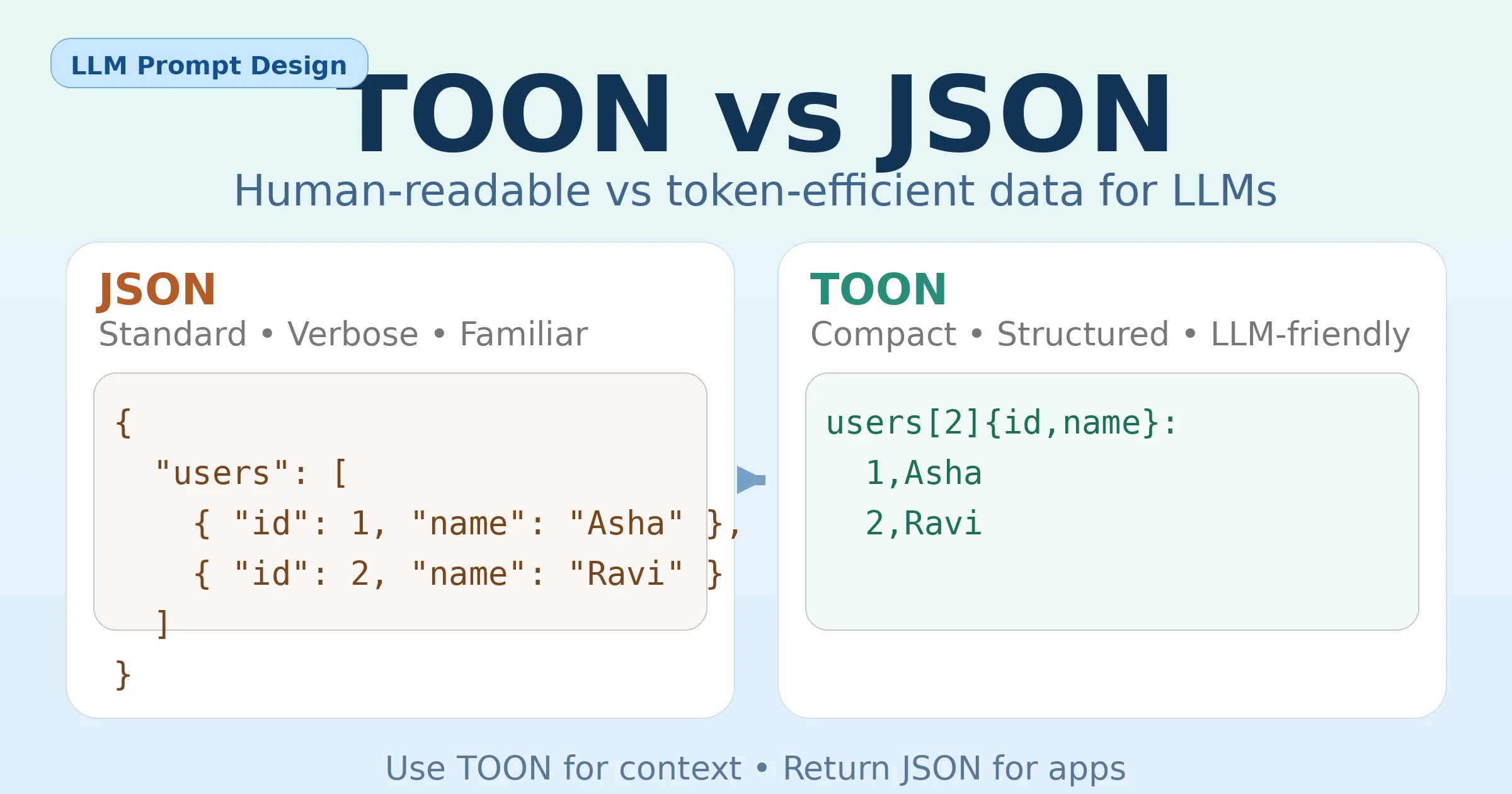
When working with Large Language Models (LLMs), the way you format your data matters more than you might expect. Two formats often discussed are JSON and TOON.
Both represent structured data, but they are designed for different audiences:
- JSON is built for software systems
- TOON is designed to be efficient and clear for LLMs
This article explains the difference in plain English, with examples, and shows when to use each.
What is a JSON Object?
JSON (JavaScript Object Notation) is the most widely used format for structured data on the web.
A JSON object stores data as key–value pairs.
Example JSON
{
  "users": [
    { "id": 1, "name": "Asha", "role": "admin" },
    { "id": 2, "name": "Ravi", "role": "user" }
  ]
}
Why JSON is so popular
- Supported by almost every programming language
- Easy to validate and parse
- Perfect for APIs, databases, and configs
The downside for LLMs
JSON can become verbose:
- Keys are repeated again and again
- Lots of quotes, commas, and brackets
- More text = more tokens = higher cost
For humans and machines, this is fine.
For LLM prompts, it’s often inefficient.
What is a TOON Object?
TOON (Token-Oriented Object Notation) is a compact way to represent the same data model as JSON, but optimized for LLM consumption.
TOON focuses on:
- Reducing repetition
- Making structure obvious to the model
- Saving tokens in large datasets
Example TOON
users[2]{id,name,role}:
  1,Asha,admin
  2,Ravi,user
What’s happening here?
- The schema (
id,name,role) is declared once - Each row represents one object
- The array length (
[2]) is explicit
The meaning is the same as JSON, but the format is more compact.
JSON vs TOON: Key Differences
1. Purpose
- JSON: Data exchange between systems
- TOON: Efficient data input for LLM prompts
2. Readability style
- JSON: Braces, brackets, and repeated keys
- TOON: Clean, table-like structure
3. Token efficiency
- JSON: Repeats field names for every object
- TOON: Defines fields once, then lists values
This makes TOON especially useful for:
- Product lists
- User tables
- Order line items
- Inventory data
4. Best use cases
| Use case | Better choice |
|---|---|
| APIs & backend systems | JSON |
| Large lists in prompts | TOON |
| LLM context optimization | TOON |
| App-level parsing | JSON |
How TOON Helps When Using LLMs
When people say “fetch data from an LLM,” they usually mean:
- Feeding structured data into the model
- Getting structured data out of the model
TOON is mainly helpful for input.
A practical workflow
- Keep JSON in your application
- Convert JSON → TOON before sending data to the LLM
- Ask the LLM to return JSON
- Parse JSON output in your code
This gives you the best of both worlds:
- Compact input
- Reliable output
Example: TOON In, JSON Out
Prompt (data in TOON)
products[3]{sku,name,price,stock}:
  A1,Shampoo,6.99,12
  A2,Soap,2.49,0
  A3,Toothpaste,3.99,5

Task:
1. Return all out-of-stock products
2. Return the cheapest in-stock product
Output valid JSON only.
Model Output (JSON)
{
  "out_of_stock": [
    { "sku": "A2", "name": "Soap" }
  ],
  "cheapest_in_stock": {
    "sku": "A3",
    "name": "Toothpaste",
    "price": 3.99
  }
}
When You Should Stick With JSON
Use JSON when:
- You’re building APIs
- Data is deeply nested or irregular
- You need strict schemas and tooling
- Data flows between multiple systems
When TOON Makes Sense
Use TOON when:
- Prompts contain large, repetitive datasets
- Token cost matters
- You want LLMs to clearly understand tabular data
- You only need TOON as a temporary prompt format
Final Takeaway
- JSON is the universal language of structured data for software.
- TOON is a compact, LLM-friendly way to represent that same data inside prompts.
Think of TOON not as a replacement for JSON, but as a prompt-level optimization layer.